

n8n Workflow x402 Endpoint
An n8n workflow can become more than an internal automation. If the workflow starts with a Webhook node and returns a stable JSON response, Alephant can wrap it as a governed, payment-aware x402 endpoint that other developers and agents can pay to call.
The key idea is simple:
This page shows how to package an existing n8n workflow as a paid endpoint without rewriting the workflow itself.
Video Walkthrough
Watch the workflow-to-x402 endpoint setup from n8n to Alephant.
What You Need
Before creating the paid endpoint, make sure you have:
- An n8n workflow that starts from a Webhook node.
- A production n8n Webhook URL, not only a test URL.
- A final Respond to Webhook node that returns a stable JSON object.
- An Alephant workspace where you can create a Workflow Agent and a Paid Endpoint.
- A receiving wallet or settlement configuration for x402 payments.
1. Prepare The n8n Workflow As An API
In n8n, the Webhook node is the boundary between the outside world and your workflow. It receives HTTP requests, starts the workflow, and can make the workflow behave like an API endpoint.
For a paid endpoint, configure the Webhook node as the public contract:
n8n shows both a test URL and a production URL for Webhook nodes. Use the test URL while building the workflow. Use the production URL only after the workflow is published.
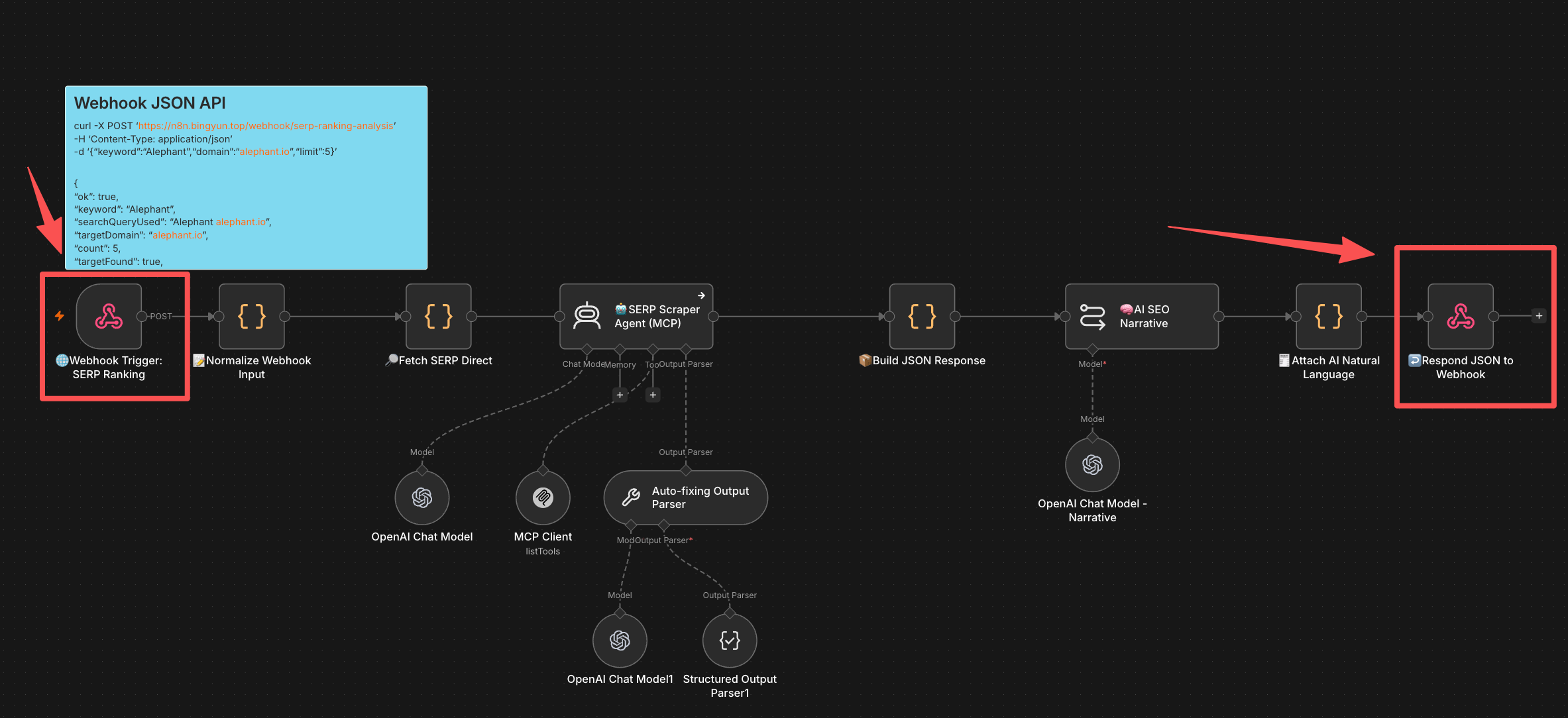
In this example, the workflow starts with Webhook Trigger: SERP Ranking and ends with Respond JSON to Webhook. Everything in between can remain normal n8n logic: input normalization, data fetches, AI steps, MCP tools, scraping, enrichment, or formatting.
2. Define The Request And Response Contract
Alephant can monetize the workflow only if callers know what to send and what they will receive. Keep the n8n Webhook contract explicit and stable.
Example request body:
Example response body:
Use n8n nodes before Respond to Webhook to normalize the output. A good paid endpoint response should:
- Return one JSON object, not an arbitrary list of node outputs.
- Include a clear success or error field such as
ok. - Avoid leaking provider credentials, raw prompts, wallet metadata, or internal n8n execution details.
- Keep field names stable across workflow versions.
- Return useful errors with an HTTP status code that clients can handle.
3. Create A Workflow Agent In Alephant
In Alephant, create an Agent that represents the n8n workflow runtime.
Choose Workflow Agent, then select n8n Workflow as the runtime. This tells Alephant that the agent execution should be forwarded to an external n8n Webhook rather than handled as a direct model-only AI Agent.
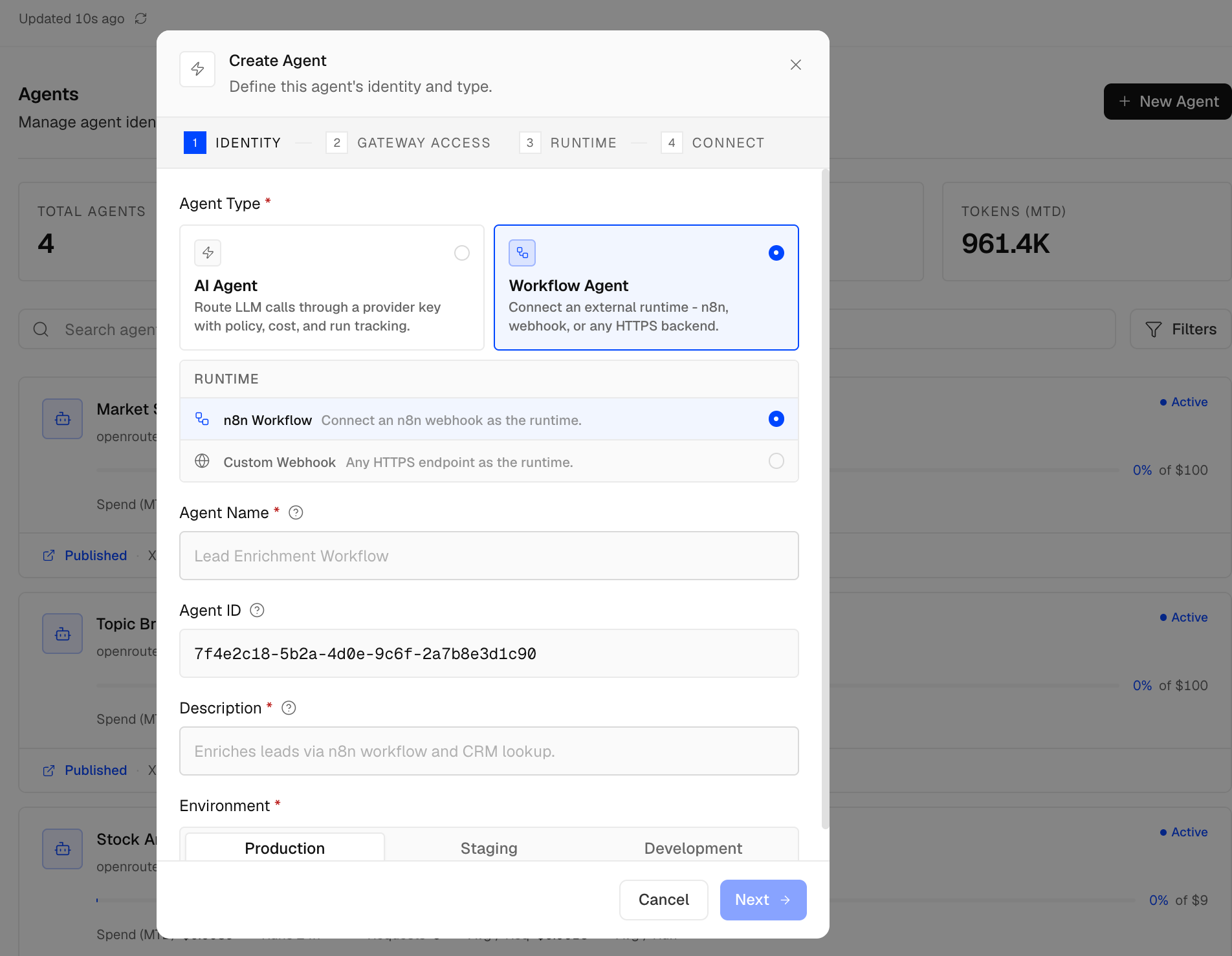
Use a name and description that describe the paid capability, not the internal implementation. For example:
When you connect the runtime, use the n8n Production URL from the Webhook node. If the n8n Webhook requires a secret header, configure that secret in the agent runtime connection so buyers never see it.
4. Create The x402 Paid Endpoint
After the Workflow Agent exists, create a new Agent Paid Endpoint.
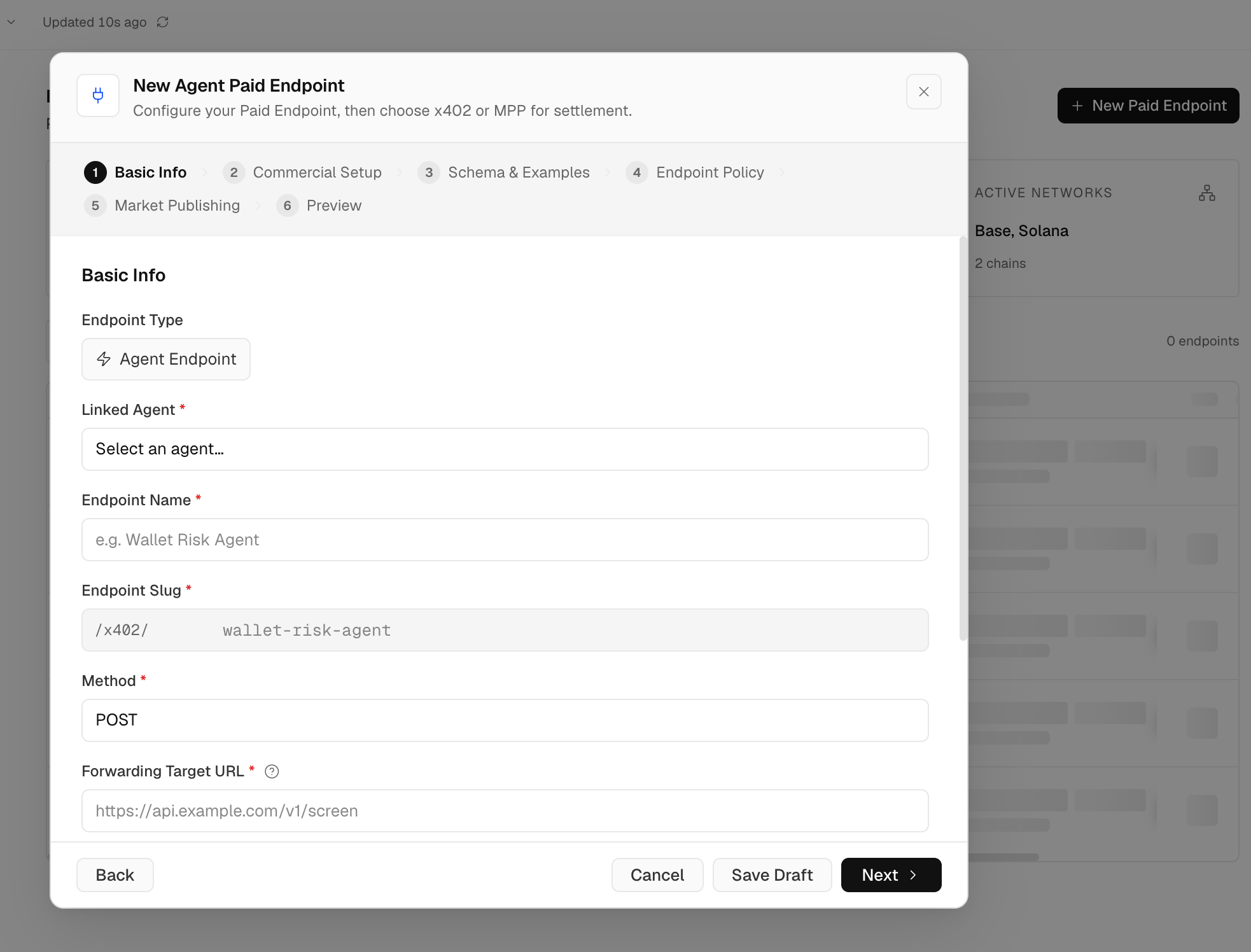
Configure the basic endpoint fields first:
Then complete the commercial setup:
- Set the price per call.
- Choose the settlement network and asset supported by your x402 configuration.
- Add the request schema and response examples.
- Configure endpoint policy such as rate limits, buyer access, budget guardrails, and abuse controls.
- Decide whether to publish privately, internally, or to the marketplace.
x402 uses the HTTP 402 Payment Required flow. A caller requests the endpoint, receives payment requirements, submits a signed payment payload, and receives the workflow result after payment verification and policy checks pass.
5. Publish To The Marketplace
Once the endpoint is published, it can appear alongside other x402 listings in the Alephant marketplace.
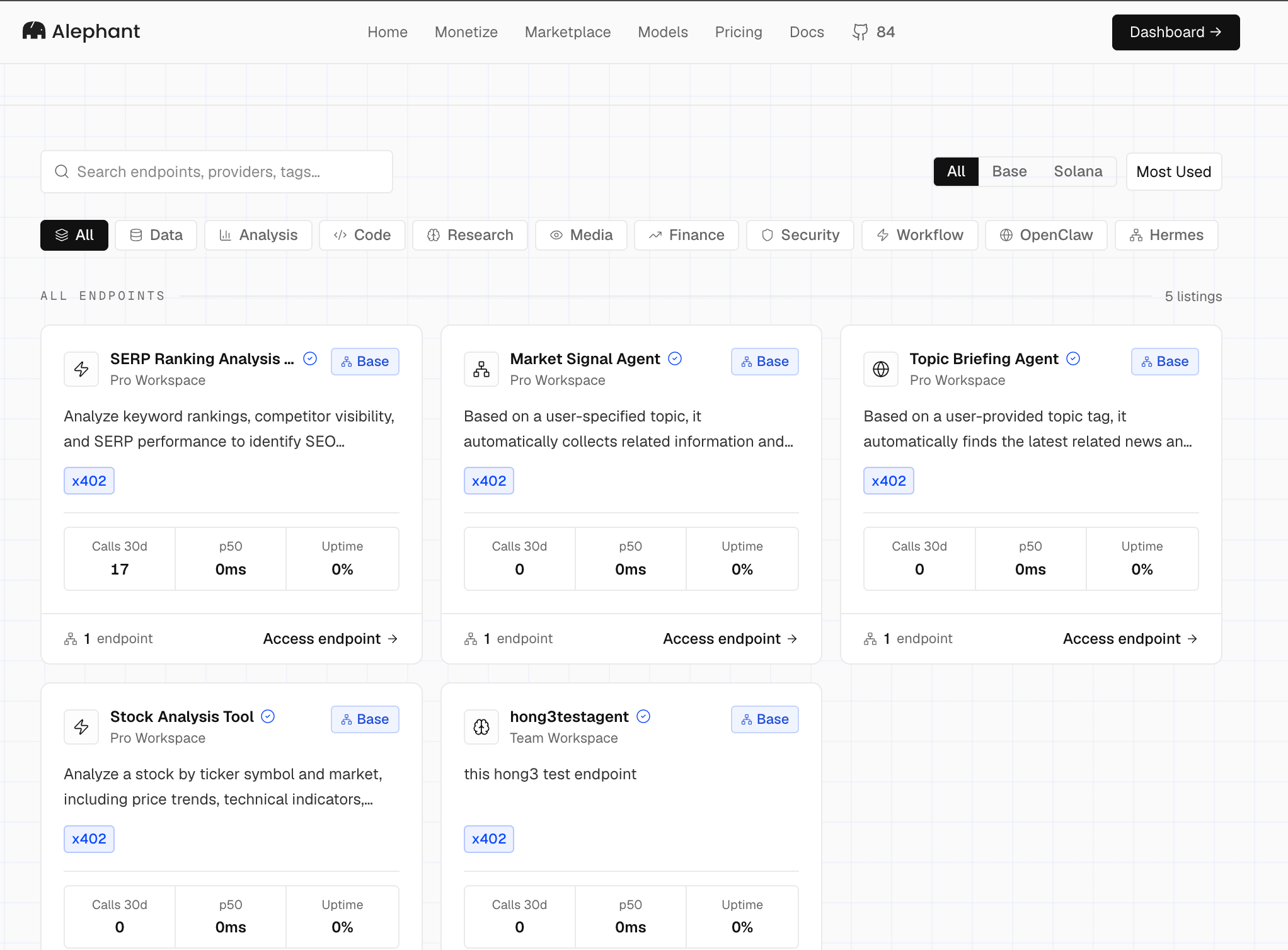
A strong listing should explain the concrete job the workflow performs:
- What input the buyer provides.
- What output the buyer receives.
- How long the workflow usually takes.
- What model, data source, or external API costs may be involved.
- Whether the result is deterministic, AI-generated, or best-effort.
For the SERP example, the listing should make clear that the endpoint analyzes keyword rankings and domain visibility, then returns a JSON result that another agent or application can consume.
6. Test The Paid Call
First test the n8n production Webhook directly from a private environment:
Then test through the Alephant x402 endpoint. The exact client code depends on the x402 wallet and facilitator you use, but the request shape should remain the same:
After the call succeeds, check Alephant for:
- Payment verification and settlement status.
- Workflow Agent execution status.
- Latency and error rate.
- AI token cost and external tool cost, if tracked.
- Revenue, fees, and known margin.
- Request logs tied to the endpoint and agent run.
Production Checklist
Before promoting the endpoint broadly:
- Publish the n8n workflow and use the production Webhook URL.
- Keep direct n8n access protected with header auth, JWT auth, IP allowlists, or network controls.
- Validate the request body before expensive workflow branches run.
- Return predictable JSON from Respond to Webhook.
- Add endpoint schema and examples in Alephant so buyers know how to call it.
- Set rate limits, timeout expectations, and budget guardrails.
- Track revenue, model cost, external API/tool spend, and margin per call.
- Version the endpoint when the request or response contract changes.